A walking app for Android

Every step you take becomes a journey across Korea.

Korea Walk Nomad turns your daily steps into a trip from the Unification Observatory near the DMZ to Seongsan Ilchulbong on Jeju Island. Pass real landmarks, collect badges and get friendly local comments from your guide, Arukyun. No GPS tracking, no ads, no sign-up.

Get it on Google Play
AndroidWorks with Health ConnectNo adsNo sign-up
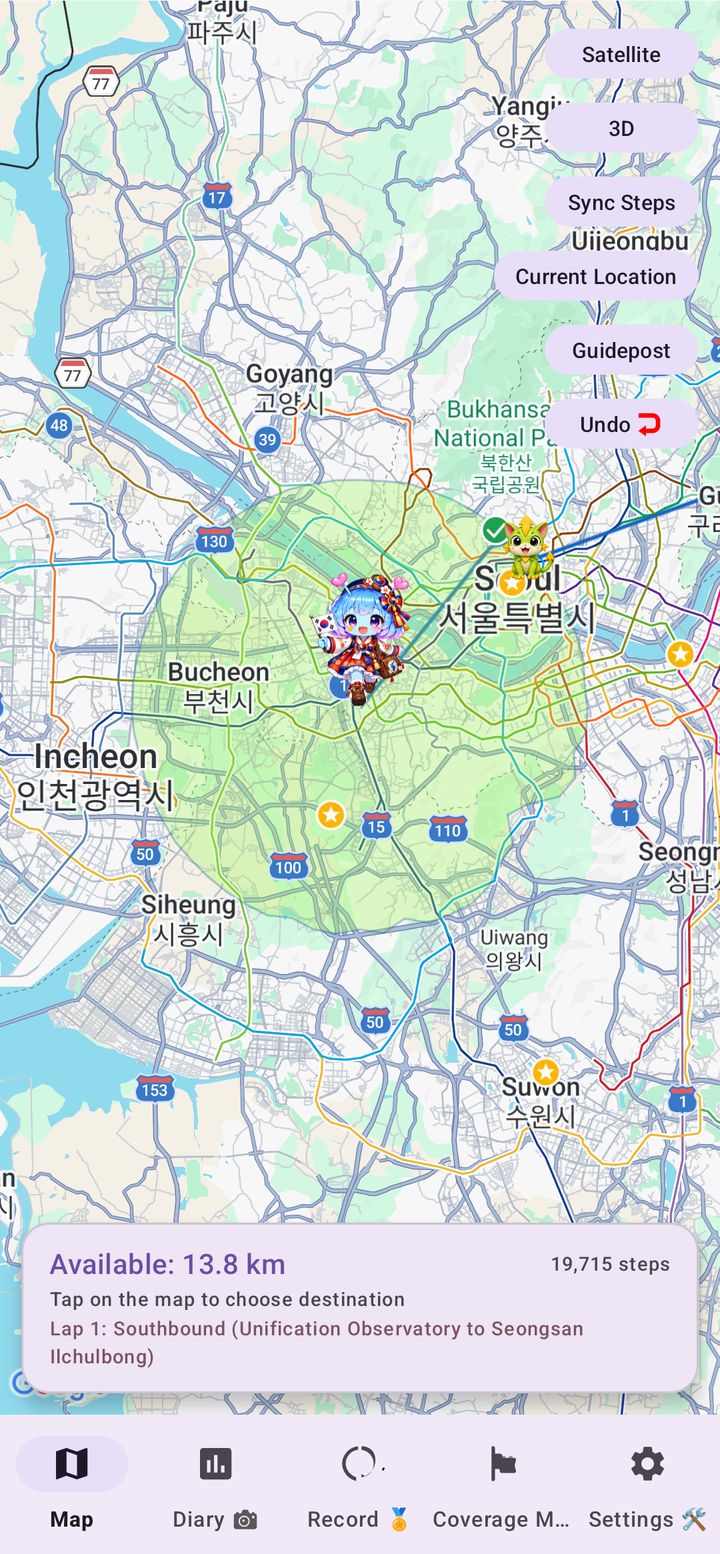
Korea Walk Nomad travel map around Seoul showing the movable range and the guide character Arukyun in Korean hanbok
How it works

Just by walking, you travel across the map

The app reads the steps recorded by your phone or wearable through Health Connect. You move across a real map of Korea exactly as far as you have walked.

1

Walk as usual

Your steps are collected automatically through Health Connect. There is nothing to type in.

2

Choose where to go

The finish line is fixed, but the route is yours. Tap the map within your available distance and take as many detours as you like.

3

Collect landmarks and badges

Reach a famous place to earn a badge and hear what Arukyun has to say about it.

4

Cross to Jeju

Take the Wando–Jeju ferry, finish at Seongsan Ilchulbong, then turn around and start another lap.

Features

More than just a step counter

Built around real Korean geography, so every lap feels like a trip rather than a number.

Collect badges from famous places

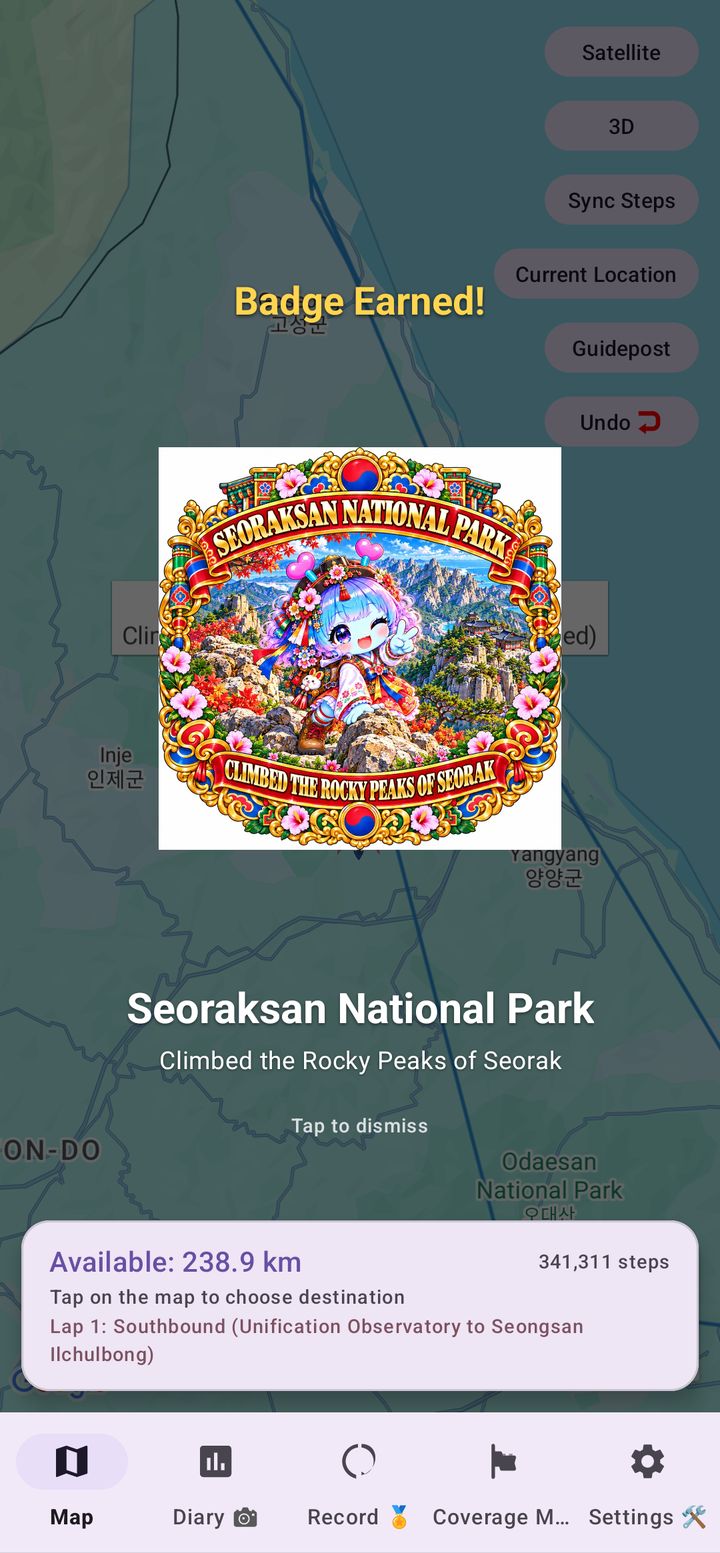
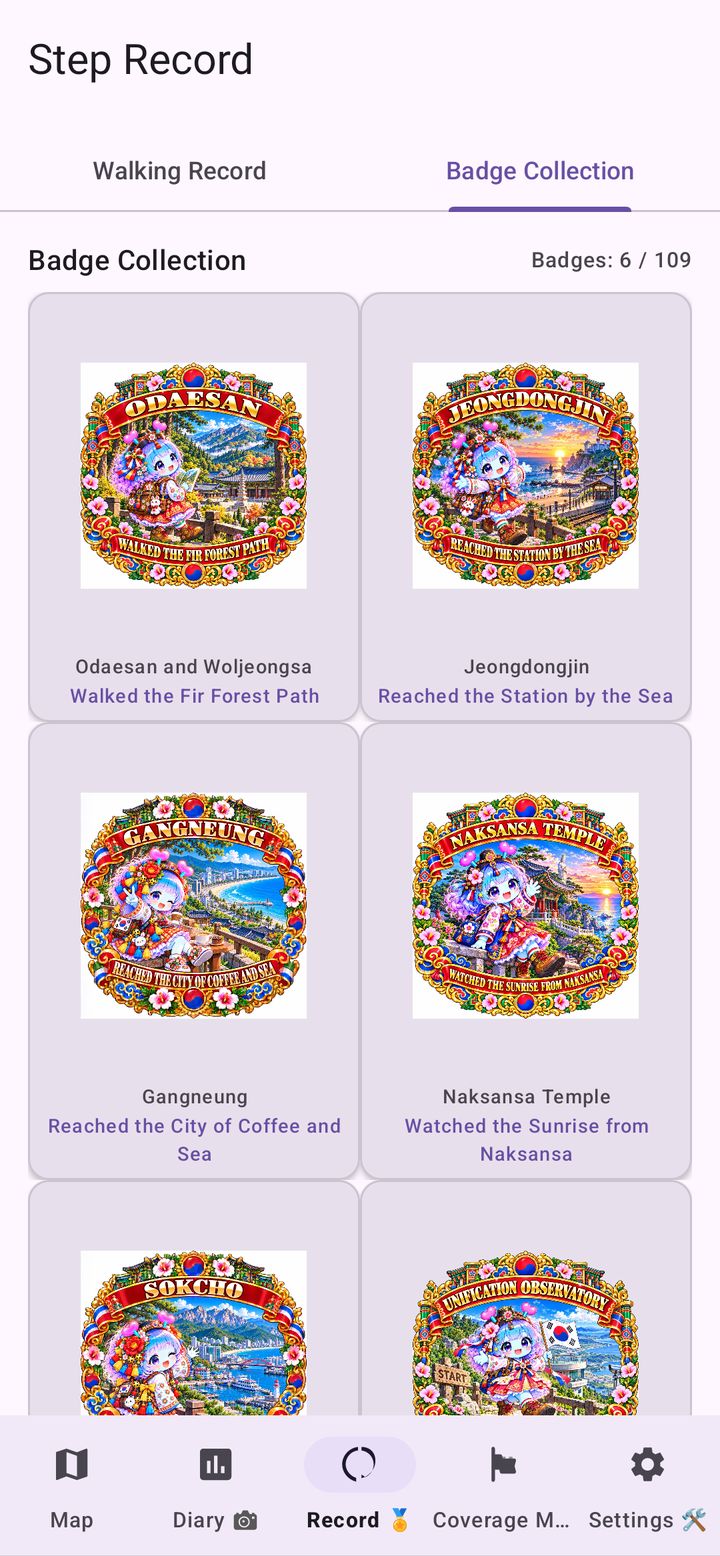
Arrive at a landmark and a badge pops up with the place's name and a title to match. Odaesan, Jeongdongjin, Gangneung, Naksansa Temple, Sokcho and the Unification Observatory are among the early stops, with 109 badges in the collection.

Badge Earned screen for Odaesan Woljeongsa Temple

Local comments from Arukyun

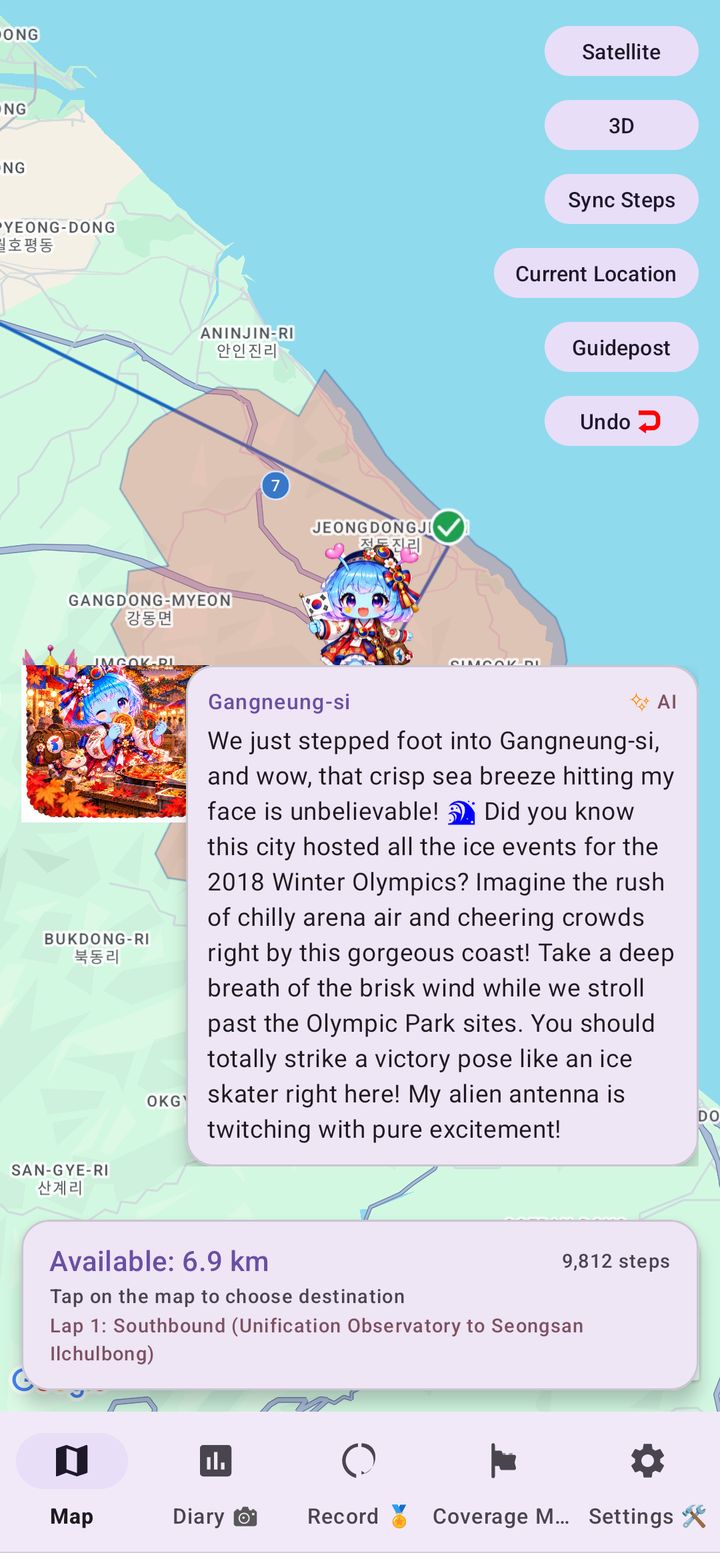
When you arrive somewhere new, your guide Arukyun shares a short comment about the area, so it feels like you are really standing there. Notes are prepared for every city, county and district, and are marked as AI-generated.

Arukyun's AI comment on arriving in Gangneung

Read in English, Korean or both

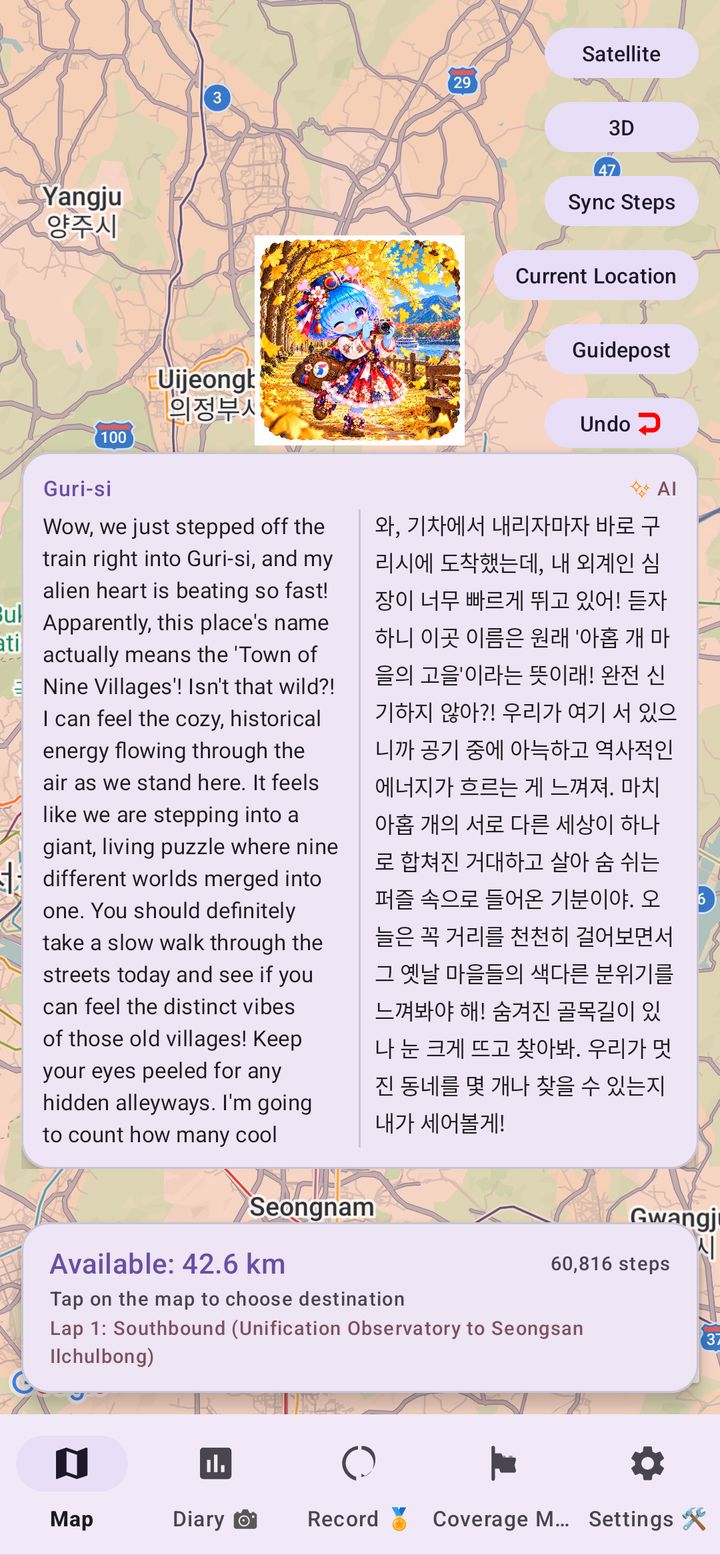
Comments are available in English and Korean. Turn on bilingual mode to see Korean and English side by side, which is handy if you are learning the language or travelling with a friend.

Arukyun's bilingual comment on arriving in Guri, English on the left and Korean on the right

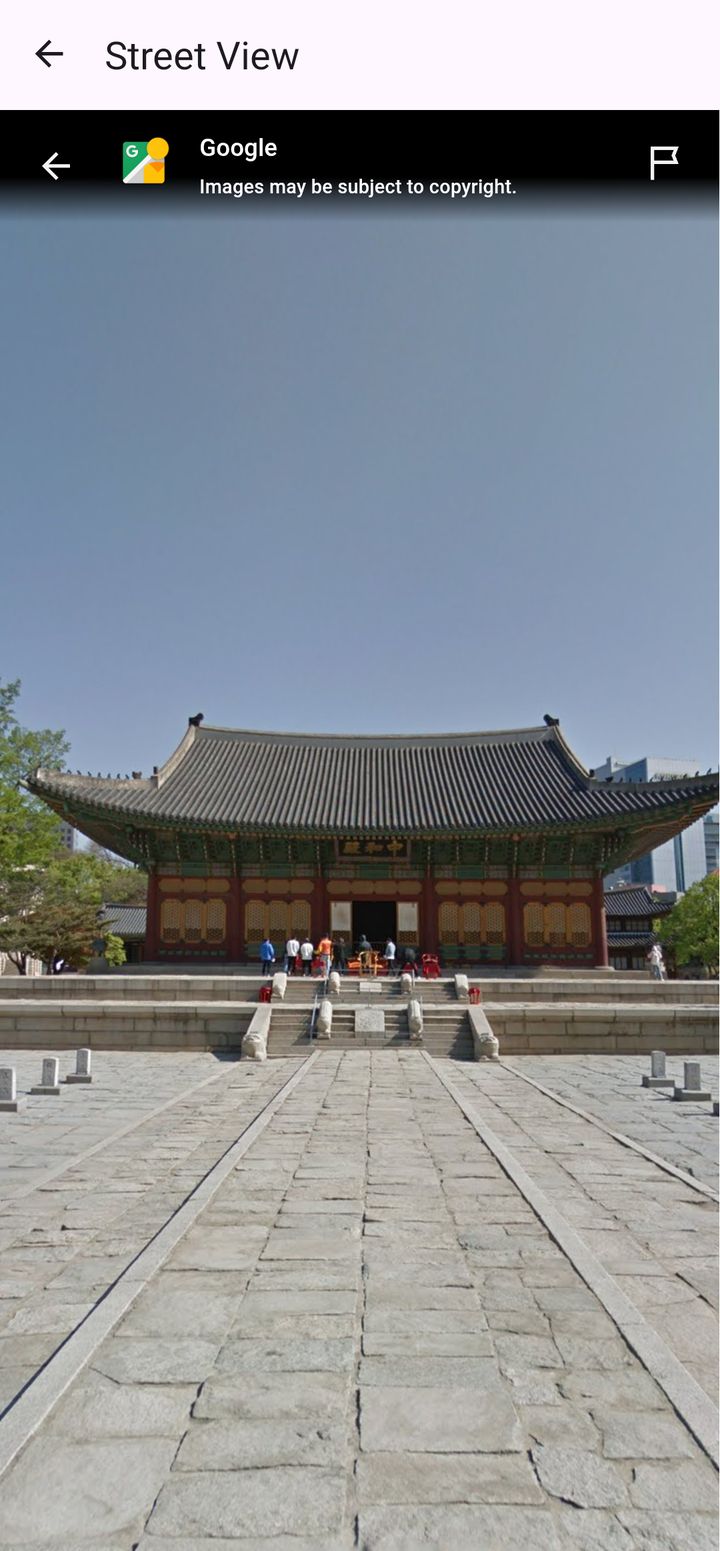
Look around with Street View

Curious what a place looks like? Open Street View from the spot you have reached and look around without leaving the app.

Street View of a traditional palace hall inside Korea Walk Nomad

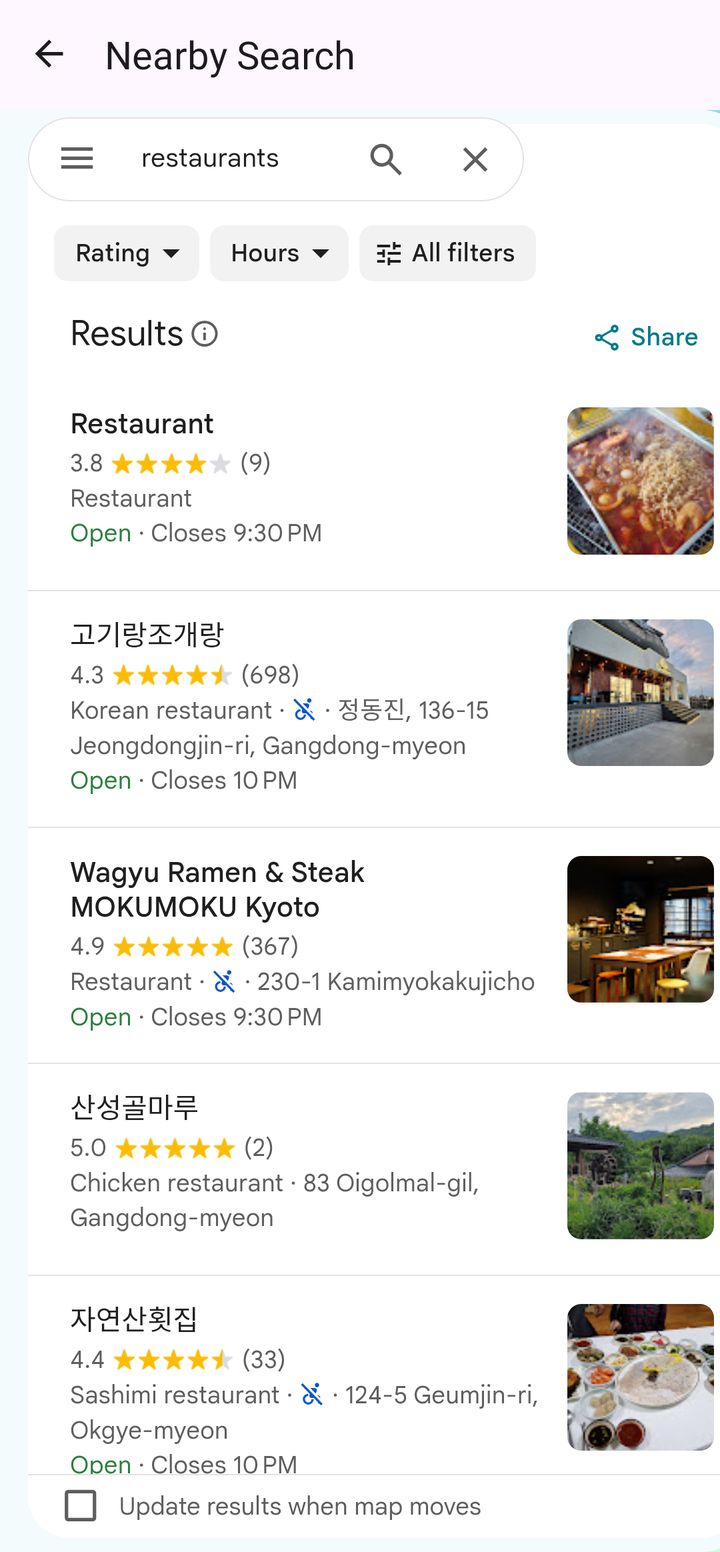
Find somewhere nearby

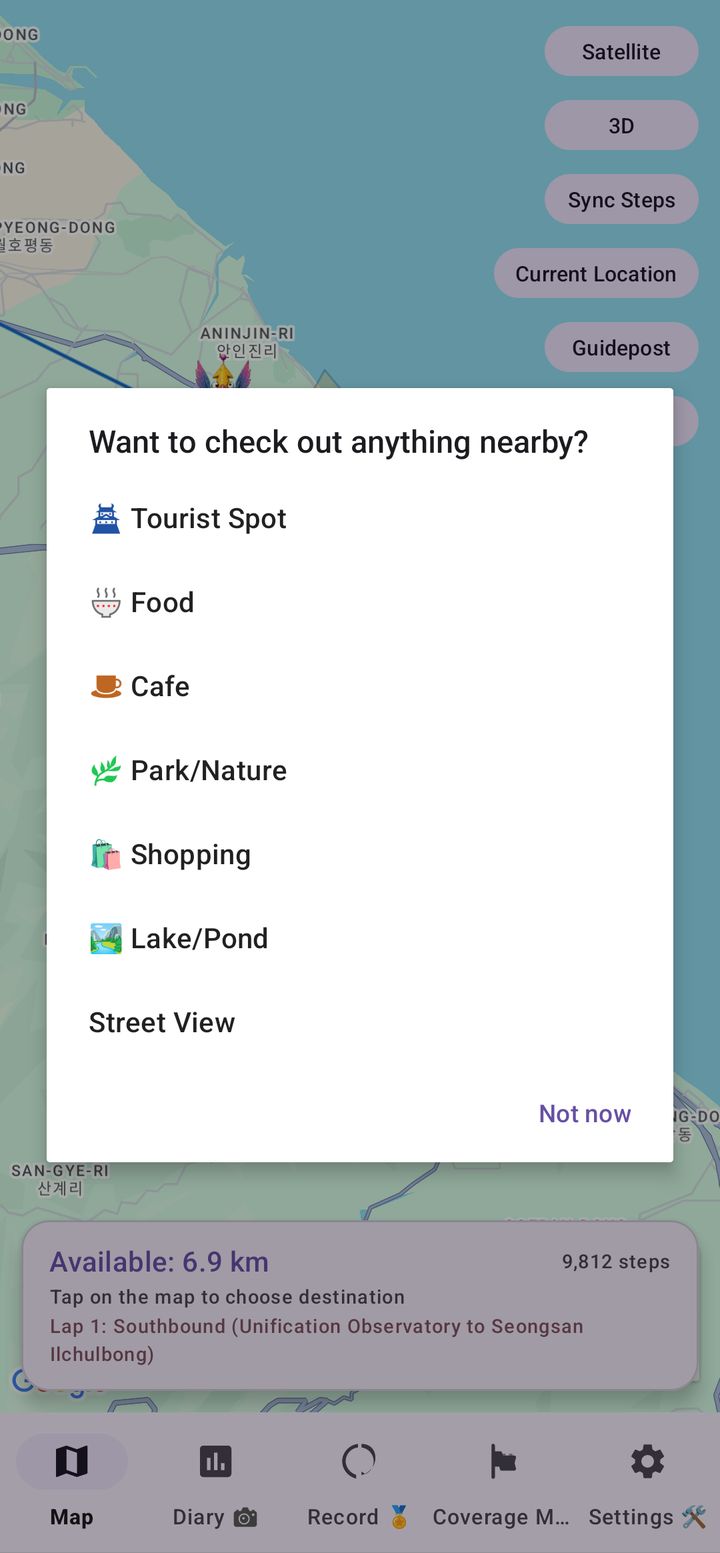
Tap your position and choose what to look for: tourist spots, food, cafes, parks and nature, shopping or lakes. Nearby Search shows what is around you on the route, so you can plan the next stop on your virtual trip.

Nearby Search results for restaurants near Gangdong-myeon

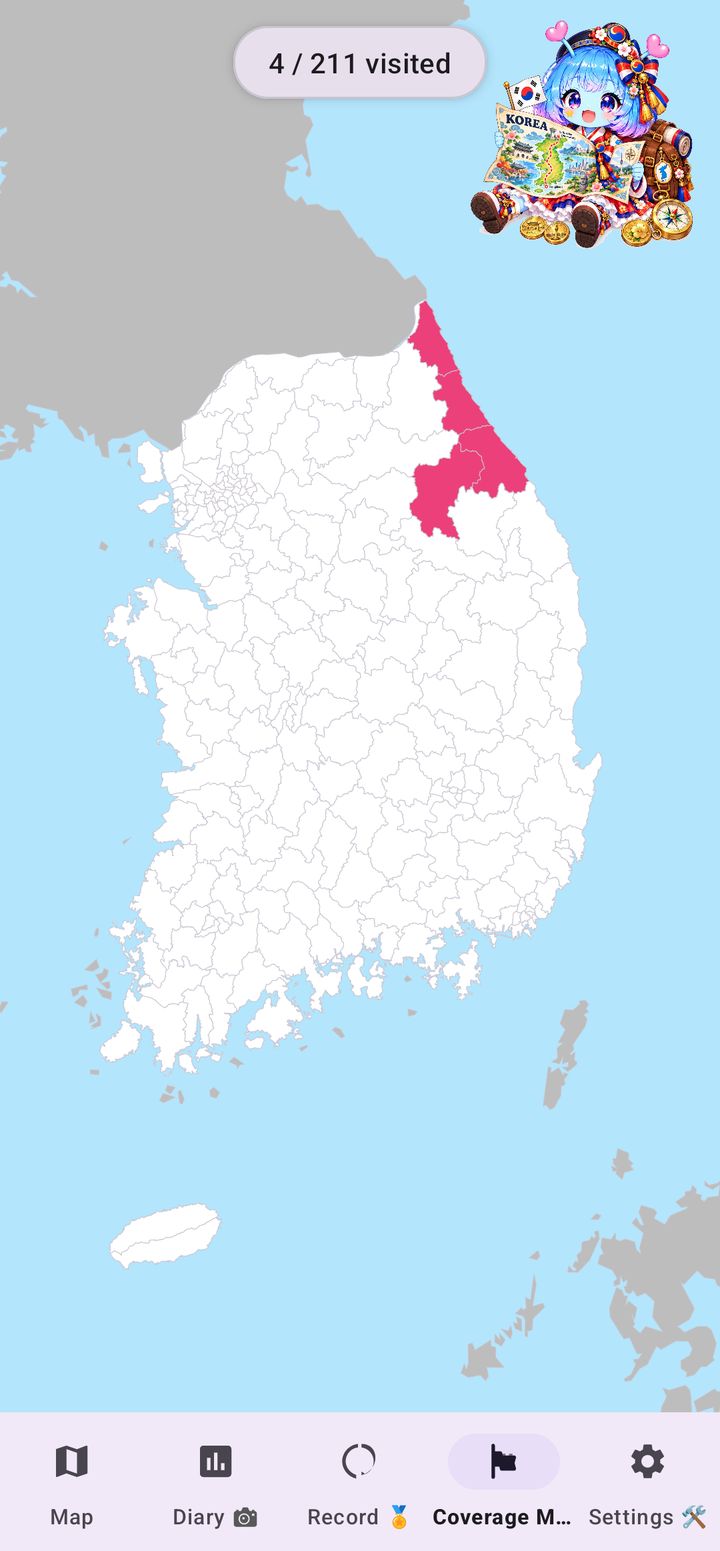
Colour in the whole country

The Coverage Map fills in every city, county and district you have visited. Track how much of the country you have covered, such as 4 of 211 areas, and earn conquest badges for each region.

Coverage Map of South Korea with the visited area coloured in pink, showing 4 of 211 visited

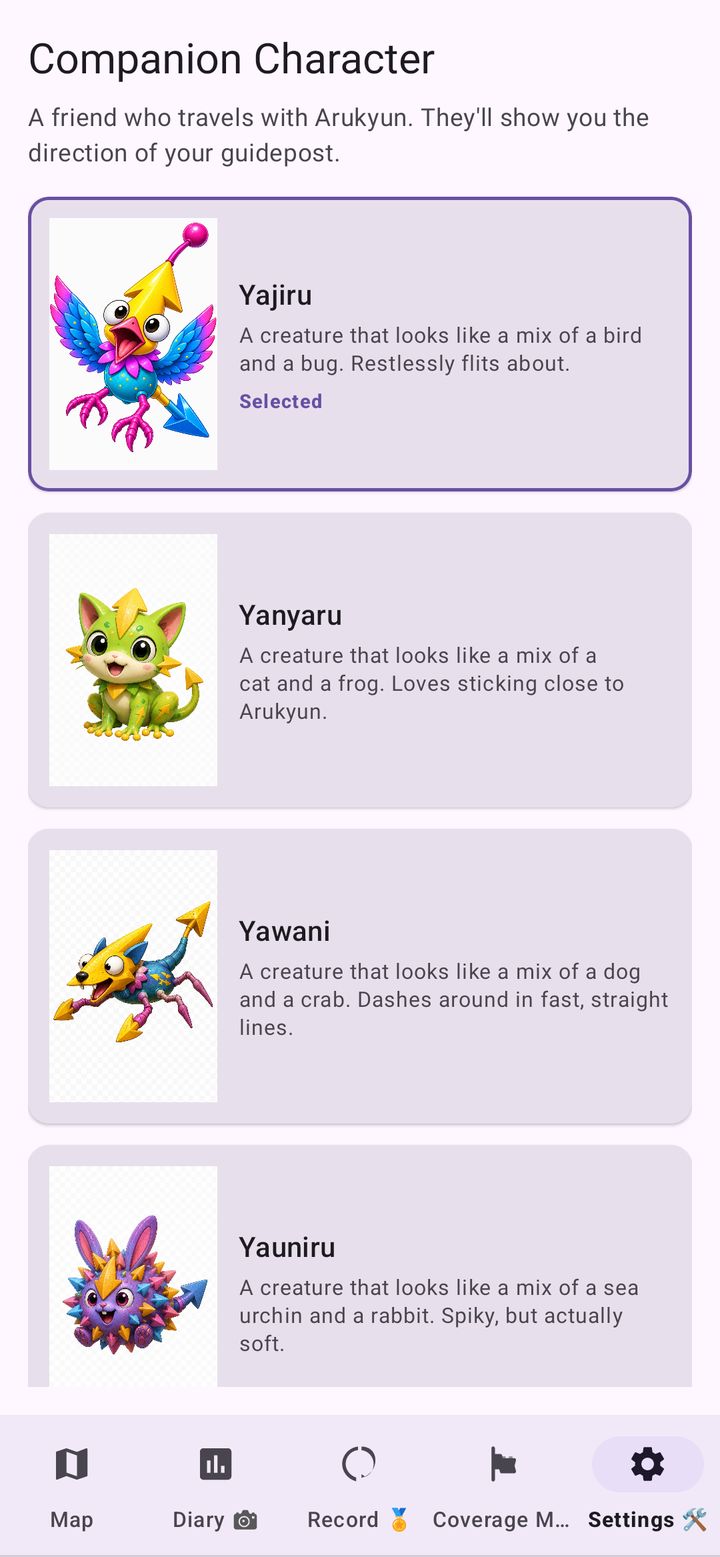
Pick your travelling companion

Choose who guides your way: Yajiru, Yanyaru, Yawani, Yauniru and more. Drop a Guidepost anywhere on the map and your companion will point the way.

Companion Character screen showing Yajiru, Yanyaru, Yawani and Yauniru

Japanese Walking interval timer

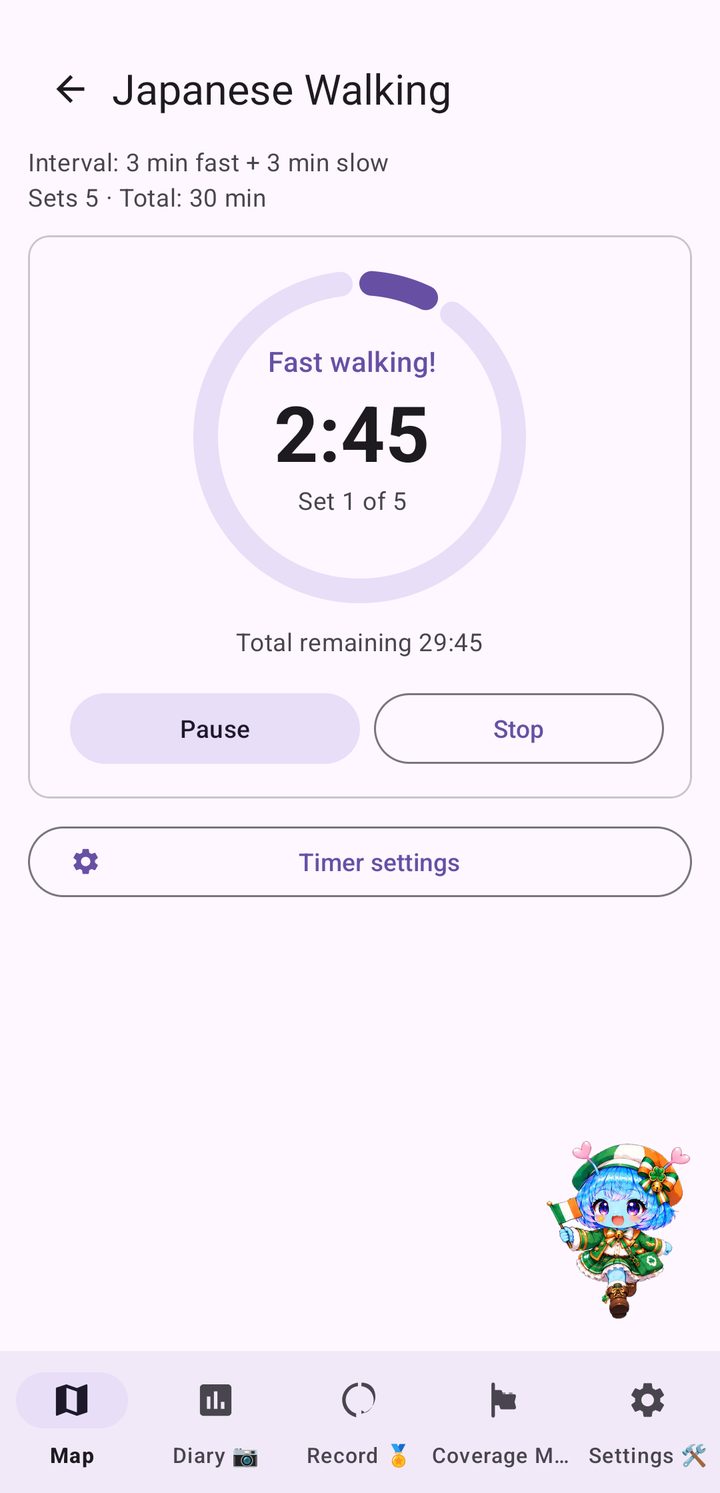
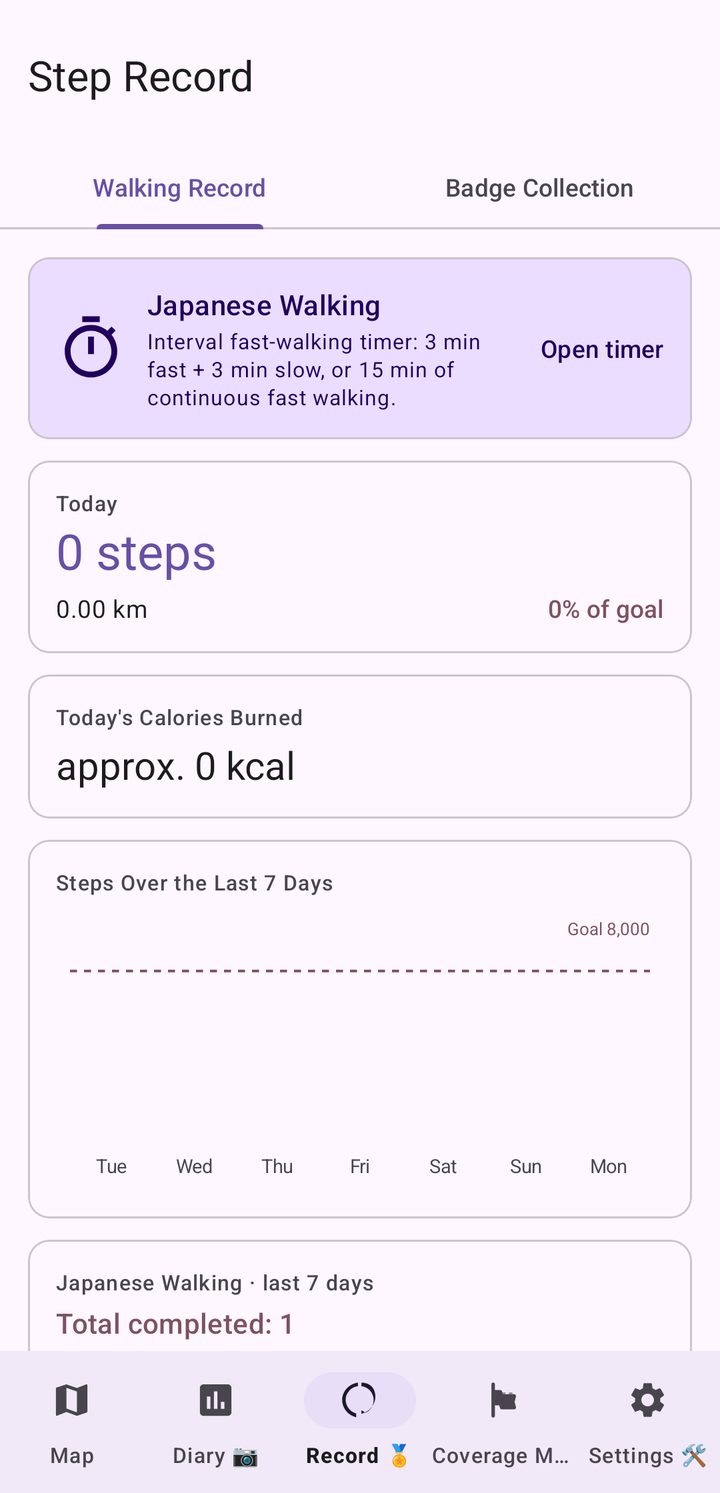
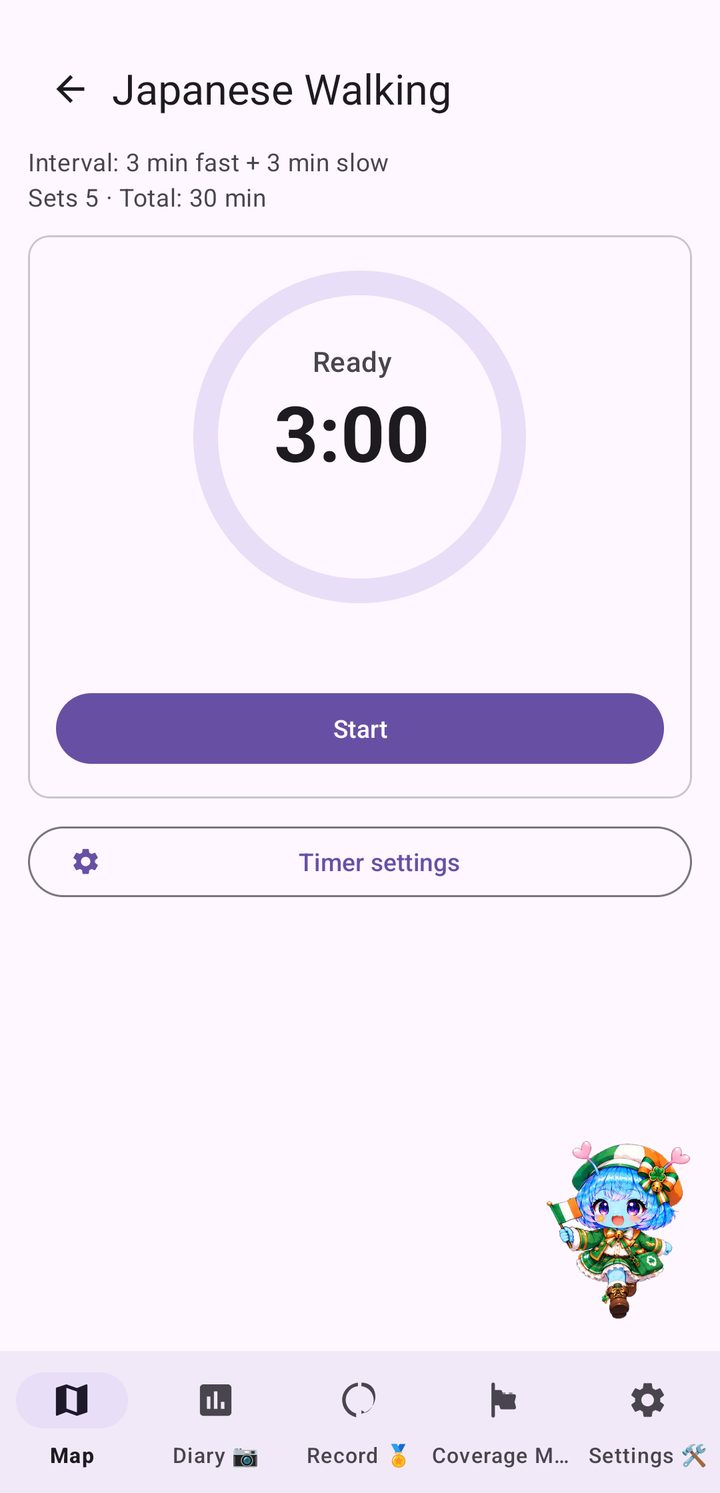
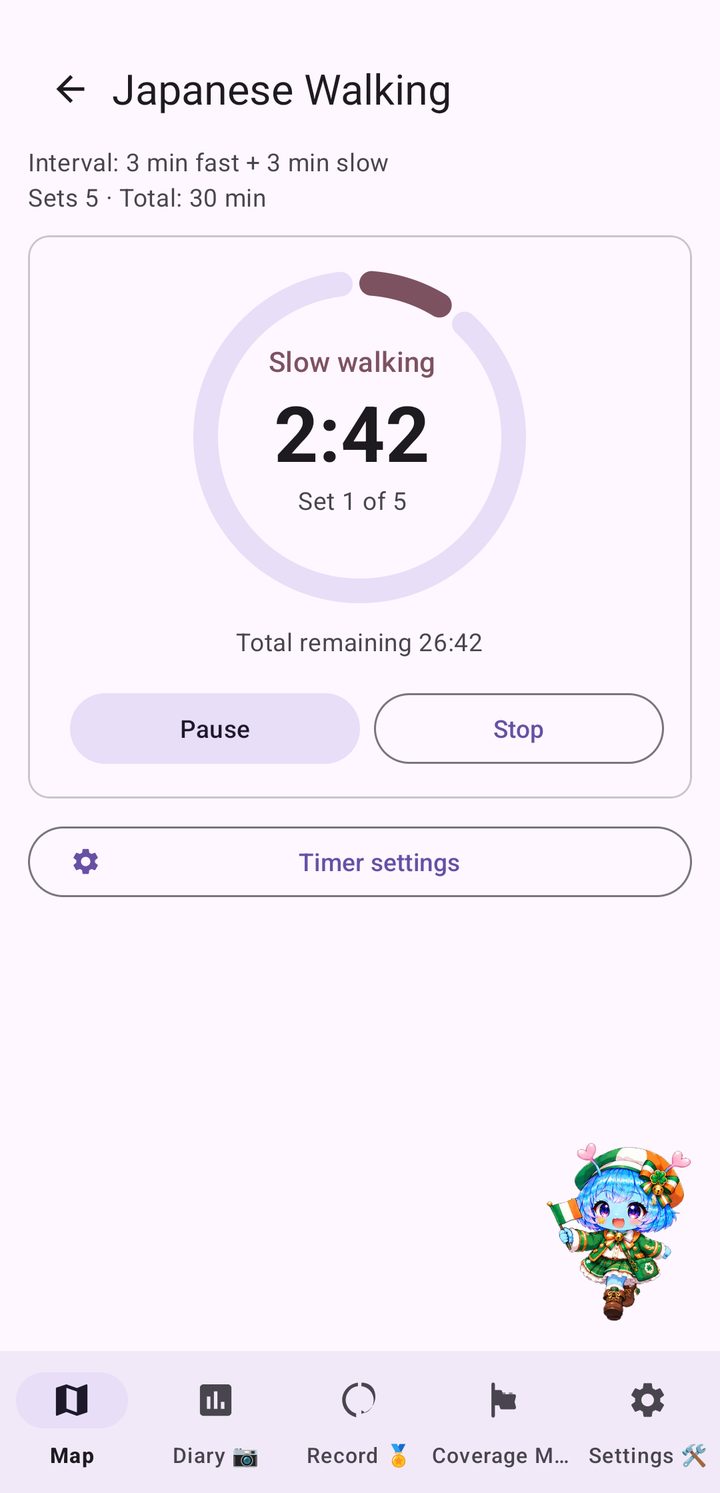
Japanese Walking is an interval walking routine: three minutes of fast walking, then three minutes of slow walking, repeated for a few sets. The built-in timer gives you a 3-2-1 countdown, a tempo beat while you speed up and a heads-up before each switch, and it keeps running with the screen off.

After each fast segment it compares your real step count with your target tempo, and a card in the Record tab shows the days you completed a session. Open it from the travel map or the Record tab. This is not medical advice: walk at a pace that suits your health.

Japanese Walking timer during a fast-walking segment with the countdown and set progress
Unification ObservatorySeoraksanGyeongbokgung PalaceN Seoul TowerBulguksa TempleHaeundae BeachSuncheon BayWandoHallasanSeongsan Ilchulbong…and more along the way
Who it's for

One more reason to walk

Want to build a daily walking habit
Like keeping an eye on your step count
Need sightseeing to keep you motivated
Love travel, maps and Korean landscapes
Pricing

Free to explore northern Gangwon, one upgrade for the whole route

Start your journey for free in northern Gangwon, where the route begins. When you are ready to walk on across the peninsula and over the sea to Jeju, switch to the full route with a single purchase.

Free Edition

$0
  • Travel freely around northern Gangwon
  • Core features: step-based travel, badges and the Coverage Map
  • Local comments from Arukyun
  • No ads, no sign-up
Full route

Switch to the full route

$2.99 (€3.29 / ₩4,400) one-time purchase
  • Unlocks the rest of the route, all the way to Jeju
  • Includes Nearby Search and the full badge collection
  • One-time purchase, no subscription
  • No additional charges

Prices are shown in USD, EUR and KRW and may vary slightly by region and exchange rate on Google Play.

FAQ

Questions and answers

What is Japanese Walking?

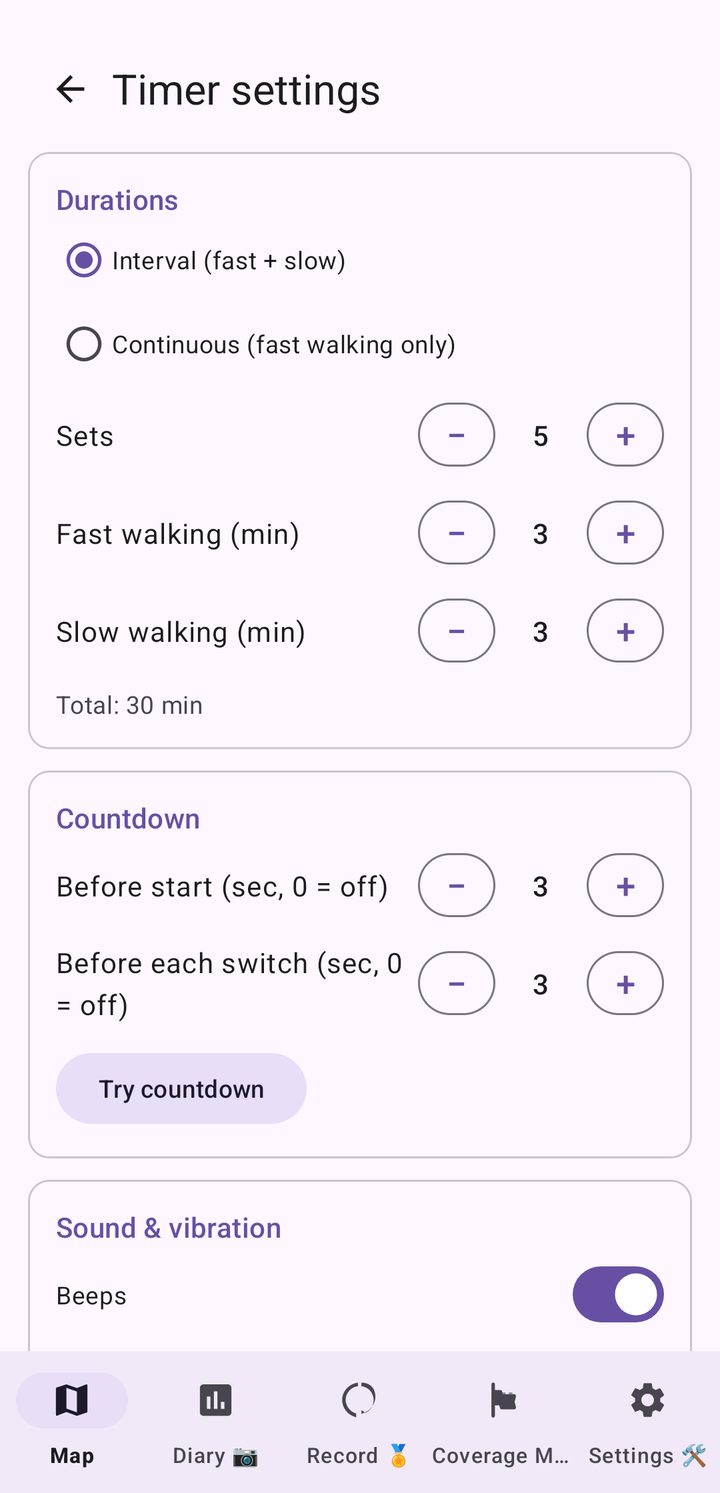
It is an interval walking timer built into the app: 3 minutes of fast walking and 3 minutes of slow walking, repeated for several sets, or 15 minutes of continuous fast walking. You can change the number of sets, the durations, the countdown and the tempo sound in the timer settings, and the timer keeps running with the screen off. It is included at no extra charge.

Does Korea Walk Nomad track my location?

No. Your position on the map is worked out from your step count, not from GPS. The app reads steps through Health Connect and moves you along the map by the distance you have walked. See How Health Connect works and your privacy for details.

Which phones does it work on?

Korea Walk Nomad is an Android app. It needs Health Connect to read steps recorded by your phone or wearable.

What is the route?

Lap 1 runs southbound from the Unification Observatory in Goseong, down the east coast through Gyeongju and Busan, along the southern coast to Haenam, then by the Wando–Jeju ferry to Seongsan Ilchulbong. You choose your own path by tapping the map within the distance your steps allow. After the goal you turn around and start a new lap north.

How much does it cost?

The app is free to download, and the free edition lets you travel around northern Gangwon. Switching to the full route is a one-time purchase of US$2.99 (€3.29 / ₩4,400), with no subscription.

Can I use kilometres or miles?

Yes. Switch between kilometres and miles in Settings.

Are there ads or an account to create?

No ads and no sign-up are needed to use the app.

Is there a version for other countries?

Yes. See all Walk Nomad apps, including Japan, UK, Ireland and Italy.

Your trip across Korea starts with today's first step.

Install Korea Walk Nomad and start walking from the Unification Observatory.

Get it on Google Play